Residents across Nigeria can use the Nigerian Postal Service (NIPOST) online platform to identify the digital postcode assigned to their buildings and examine the address details available on the system.
The Federal Government introduced the National Digital Alphanumeric Postcode System nationwide on October 1, 2026. Under the arrangement, each building that can be assigned an address receives a unique code made up of 11 letters and numbers.
To help users locate properties, the platform supports searches based on street addresses, geographical names, existing postcodes and alternative names used for locations. Certain entries also contain property owners’ names where residents commonly refer to buildings by those names.
The following steps explain how to retrieve a building’s postcode, check its recorded details and report missing or inaccurate information.
1. Open the NIPOST postcode portal
Start by visiting the official website at postcode.gov.ng. On the homepage, choose “Find my postcode” to begin your search.
Those who prefer using a mobile phone can access the NIPOST Postcode application through the website. The Android app can be downloaded from Google Play, while the iOS version is marked as coming soon.
2. Identify your property through a search
The search function accepts several types of location information. You can provide your house number, street, neighbourhood or another detail that helps identify where you live.
Where available, a location’s name, its postcode or an alias can also be used to retrieve the relevant record.
After the results appear, select the entry that corresponds to your home. Use the accompanying map to establish whether the marked location is correct. Nearby streets, adjoining buildings and familiar landmarks can help you distinguish your property from others in the area.
3. Determine whether your name is part of the address record
A property’s listing may include its owner’s name if that name was recorded as part of the description commonly used to identify the building.
NIPOST Postmaster-General Tola Odeyemi explained that the data-gathering exercise covered both conventional addresses and informal descriptions of buildings.
“During ground data collection, we collected standard or informal addresses of buildings,” she said, according to TheCable.
Such informal descriptions are particularly relevant in places where properties are identified by their owners’ names rather than clearly marked street addresses or house numbers.
If you want to check whether your name appears, examine the description attached to your property. You can also search your name if people commonly use it when referring to the building.
Keep in mind that the system assigns postcodes to buildings, not to individual owners or residents. Therefore, a search that does not return your name does not necessarily indicate that your property has not been registered.
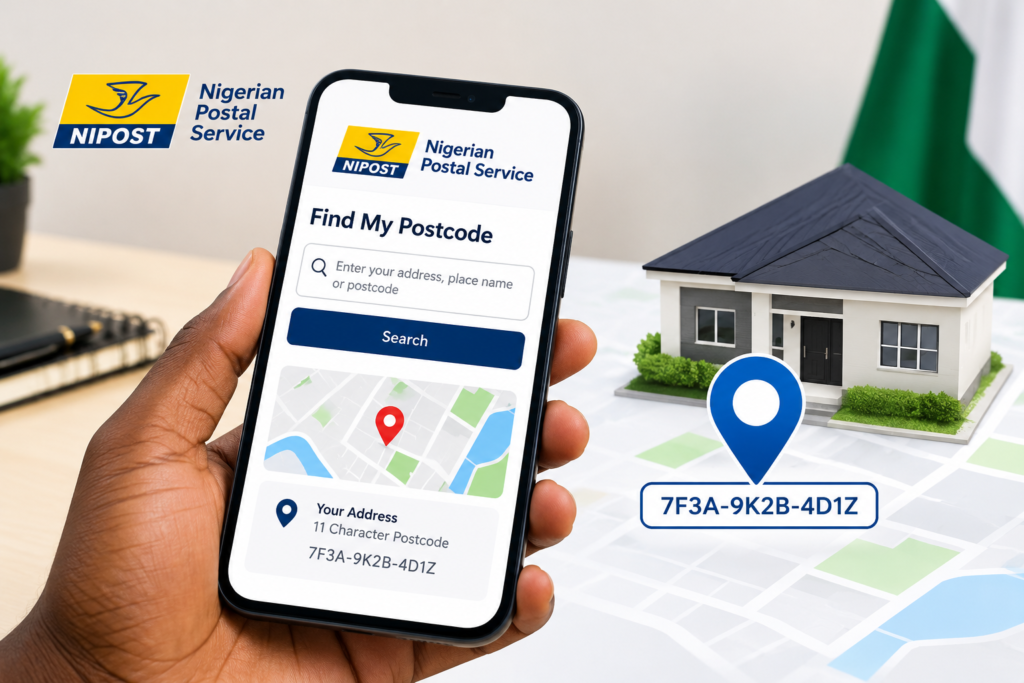
4. Retrieve the code using your current location
Users who are at home or close to their property can rely on the application’s location feature instead of entering the address manually.
First, activate location services on your phone and grant the application access to your location when prompted.
Next, tap “Find My Postcode” to display your position alongside nearby buildings on the map. Find your property among the displayed locations and select it to view its digital postcode.
Take care when making your selection, as properties situated close to one another may each have a separate code.
5. Submit a correction or request a code for an unlisted building
The platform provides an option for users to propose changes when the information associated with a property is inaccurate.
If your building has no assigned postcode, you can request one through the website or application. The request should contain the relevant address details and information identifying the property’s location. You may also include a Google Maps link to help NIPOST locate it.
Requests for missing codes and corrections to existing records are reviewed by NIPOST before its database is updated.
6. Understand how the digital postcode works
The code belongs to a specific building or addressable location, rather than to the person living there. As a result, occupants of the same property can use one digital postcode alongside their individual written addresses.
When someone moves to a different building, the postcode associated with the new property becomes the relevant one.
The national system is intended to make property locations easier to identify while supporting deliveries, logistics, emergency response and the provision of public services.
NIPOST’s official platform states that users can search for, save and share their digital postcodes without paying a fee.
Before using a code for any purpose or sending it to another person, confirm that the property shown on the map is the correct building.
NASTV AFRICA
Manifesting Africa’s Greatness